
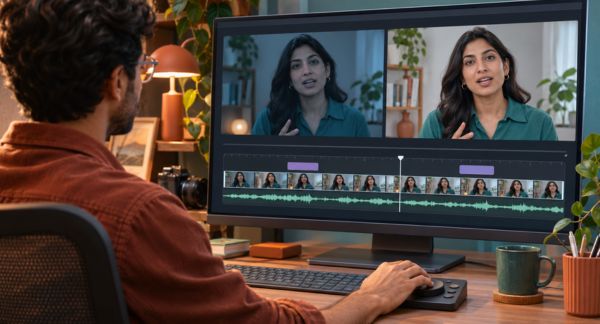
Most creators know the gap between recording a video and actually publishing it. You may have a useful idea and decent footage, but editing still takes time. There are cuts to make, captions to position and changes in lighting to correct. The Omni Flash reel explored an AI-assisted workflow involving Claude, Arcads and Google’s Gemini tools. Its appeal was straightforward: describe the result you want and let connected tools help with parts of the edit. That sounds convenient, but the quality of the outcome still depends on what you give the tools.
Start with a clear creative brief
Before uploading a video, decide what the finished piece should do. Is it a quick product demonstration, a talking-head explanation or a dramatic teaser? Say who the audience is, how long the reel should feel and which moments should remain untouched. ‘Make this cinematic’ is a start, but ‘keep the speaker natural, brighten the background and add simple captions’ gives an editor a clearer job. The same principle applies when an AI tool is carrying out the instructions.
How connected editing tools fit together
The script described connecting Arcads to Claude, providing raw footage and prompting the workflow to make visual changes. Depending on the services and access available, connected tools may help analyse content, generate variations or handle individual editing tasks. They do not always behave like one universal editor, so creators should check which features their particular accounts support. It is also worth keeping the untouched original file, especially when trying a new workflow or experimenting with several versions.
Speed is helpful only if the video works
AI can make it easier to test different looks without rebuilding an edit from the beginning. A creator could compare a clean educational style with a more energetic version for social media. Yet faster editing is not automatically better storytelling. A dramatic transition can interrupt an important sentence, and extra visual effects can make a straightforward message harder to follow. Watch the video without thinking about which tool made it. Does the message still land clearly?
Keep creative control with the creator
Always review captions, transitions, colour and audio before publishing. Check whether any generated elements change the meaning of the footage. If a video includes clients, staff or private locations, confirm that uploading it to third-party services is appropriate. AI-assisted editing works best when it removes repetitive effort and leaves people more time for decisions that matter. The goal is not to surrender the edit to a prompt. It is to spend less time on routine adjustments and more time making a video worth watching.